
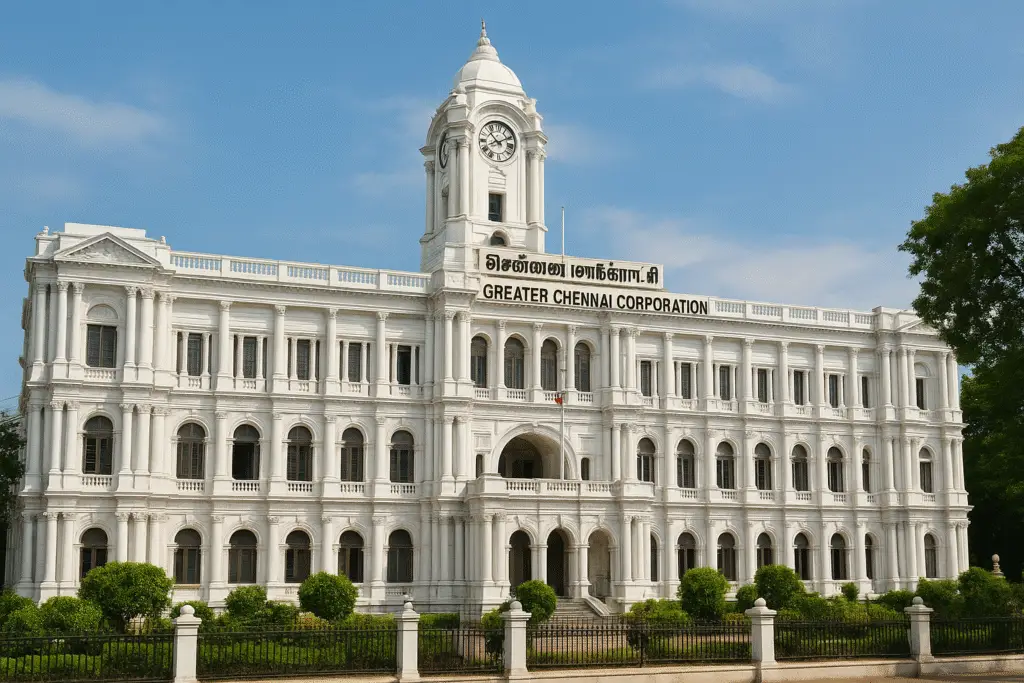
The Greater Chennai Corporation (GCC) has digitized most of its core civic services, making it remarkably easy for residents to handle paperwork from home. From property tax payments to downloading vital certificates, you can bypass the counters entirely.
Recently, while visiting a local corporation office, I noticed long lines of senior citizens waiting under the heat just to pay routine bills. Many are simply unaware that these facilities have moved online. To help our community save time, here is a complete, practical guide to navigating Chennai’s online civic portal, featuring real workarounds based on my firsthand experience.
1. How to Pay Your Property & Metro Water Taxes Online
Standing in endless queues on the final due date is a common sight in Chennai. Moving your payments online not only saves hours but also ensures you avoid late-payment penalties.
Property Tax Payment (GCC Portal)
- The Route: Head to the official GCC Website $\rightarrow$ Online Payments $\rightarrow$ Property Tax $\rightarrow$ Property Tax Online Payment.
- What You Need: Keep an old tax receipt handy. You will need to enter your Zone Number, Division Code, Bill Number, and Sub Number. (Tip: If you don’t know your Zone or Division, use the “Know Your Zone & Division” lookup tool on the same page).
- The Process: Verify the registered owner’s name and address, select the current half-year term, and complete the payment via UPI, Debit/Credit Card, or Net Banking. Download and save the generated PDF receipt instantly.
Metro Water Tax & Charges (CMWSSB Portal)
- The Route: Visit the Chennai Metropolitan Water Supply and Sewerage Board (CMWSSB) portal and click Water Tax & Charges Payment.
- The Process: Enter your Consumer / CAN / Connection number found on your physical bill. View your outstanding dues and pay using your preferred online payment mode.
- Support & Safety: For billing discrepancies, CMWSSB operates a 24/7 complaint cell at 044-4567 4567.
⚠️ Safety Warning: Always ensure you are on the official
.gov.inor authorized portals. Never transfer money to private UPI IDs over phone calls claiming to be from corporation officials.
2. Birth & Death Certificate Downloads (Web & WhatsApp)
The GCC has significantly streamlined certificate downloads. In an incredibly user-friendly move, you can now retrieve these documents via WhatsApp.
The WhatsApp Shortcut (Easiest Method)
This is an excellent option for senior citizens or anyone who finds navigating government websites difficult.
- Save the official GCC WhatsApp number to your contacts: +91 94450 61913.
- Send a message saying “Hi” or “Vanakkam”.
- Select “Most Used Services” from the automated menu and follow the prompts to receive your digital certificate directly on your phone, completely free of charge.
Downloading via the Web Portal
If you prefer using a desktop browser, the steps are straightforward:
- Go to the GCC Birth/Death Certificate Download page and log in using your mobile number and an OTP.
- Select the exact date of event and gender.
- Locate the correct entry from the generated list and click View/Download.
💡 My Real Experience & Essential Workarounds
When my baby was born, I filled out the initial documentation at the hospital. A few days later, I visited the Corporation Head Office to formally submit the newborn name registration form. Once the officials processed and uploaded it, the certificate was available online instantly.
CRITICAL TIP: Check the correct regional boundary!
Many residents make the mistake of searching the GCC website for children born in neighboring districts.
- Inside Chennai Limits: Use the Greater Chennai Corporation website.
- Extended Areas (Avadi, Tiruvallur, etc.): You must use the Tamil Nadu Civil Registration portal:crstn.org.
How I bypassed a common glitch: When retrieving our certificate from the TN Civil Registration portal, searching via the RCHID failed completely and showed no records. If this happens to you, don’t panic. Instead, switch to the alternative search fields: Gender + District + Place of Birth (Hospital Name) + Date of Birth. The certificate popped up immediately using this method.
3. Online Complaints & Grievance Redressal
If you are facing local civic issues like uncollected garbage, broken streetlights, deep potholes, or monsoon waterlogging, you do not need to visit a ward office to complain.
- For Civic & Infrastructure Issues: Use the Grievance section on the GCC website or download the official Namma Chennai app. Once you log a complaint, the system generates a tracking ticket number, and you will receive SMS updates on its resolution status.
- For Sewage and Water Issues: Head to the CMWSSB portal under “Register Your Complaints” or dial 044-4567 4567.
4. Other Essential Local Utilities & Civic Updates
The corporation portal has evolved into a centralized dashboard for several other local services:
- Trade License Renewals: Local shop owners can process yearly renewals online without agent intermediaries.
- Building Plan Approvals: Track the approval workflow transparently if you are constructing or renovating a home.
- Weekly Bulk Waste Collection Drive: GCC has introduced a fantastic initiative for disposing of large household items like old mattresses, furniture, and clothing. Every Saturday from 8:00 AM to 8:00 PM, you can request a bulk garbage pickup by dialing 1913 or scheduling it via the Namma Chennai app.
Summary
By taking advantage of these online portals, you save hours of travel and avoid frustrating queues. If you have elderly neighbors or family members who still travel to corporation offices manually, take five minutes to show them the WhatsApp certificate option or help them set up their online tax payments. It makes navigating Chennai’s civic systems completely stress-free!


Pingback: Chennai Corporation Birth Certificate Name Inclusion